
I had a really awful day yesterday--in so many ways...! Ugh! One of those days when everything really seems to go wrong and yesterday, things went downhill, pretty much all day! No matter what I seemed to do yesterday nothing turned out well and that's why I didn't have a post to share...good thing, because I probably would have been "venting" a lot and that's not what you want to hear! My Mojo was totally gone and I couldn't seem to make even ONE card.....it was a really sucky day!
On a very happy note, I ended the day by finding out that one of my "Puppy" cards was among the "Honorable Mention" cards from last week's challenge at CASology. And on top of that my friend, Barb, also had one of her cards featured in the same challenge!! Yippee! card there day! Congratulations to Barb and thanks to Tracey at CASology for picking out my card. Here is the card that I submitted for the "RUN" themed challenge. You can read more about it on the original post HERE!

Today, I'm happily back to creating and have three new cards to share. All three were inspired by Hero Art's Digital and Printable files a brand new addition at the a2z Scrapbooking Store. I have always enjoyed creating with digital images and also love to combine digital with traditional card-making to create cards typically referred to as Hybrid cards! You'll find new files being added to the store each day and they have their own section HERE!
I also do not own or use Paint Shop, so I have learned how to use these files in Microsoft Word and find it the easiest way for me. I can simply open a blank Word Document and "Insert" the files, as pictures and then edit them to make the work as I want for my cards. I also own a Silhouette Cameo and that's another great tool to use with all the "Cut" files. You can easily import SVG Files into your own Library using the Silhouette software and you can also "trace" the images they come in PNG file format and turn those into "Cut" files too! or add them by tracking the PNG file! Unfortunately, my Silhouette is needs to be replaced, and I hope to buy a new one sometime this Fall. I'm waiting for a Super Sale, so time will tell!
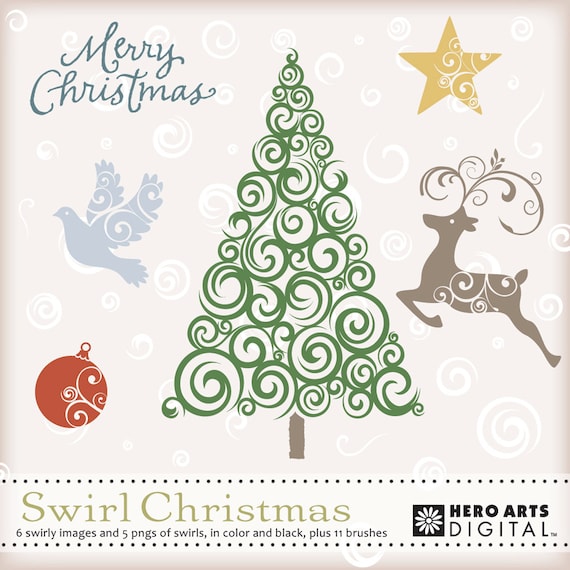
My first card today is also the very first "Christmas Card" I have created this year, which means I am also very behind. Typically I create them all year, so that when it's time to send them out, I'm not under presses to make 40 cards! But, if I were to create more Hybrid cards, there is not doubt I could make them a whole lot faster. This first card was created using the "Swirly Trees" Digital Kit. This particular kits contains six swirly images and also have 5 pngs, in both color and black. It also has 11 "Brushes" for those of you who do use Photo Shop and other software that can open "Brush" files.
 \
\
This is card that I created and I started with a digital background, which is also from Hero Arts and part of their digital paper collection, as shown in this digital paper set. I then added my tree on top and edited it to be the size and color I wanted for my card. The next step was to add on my star and then I also added little pearls (also digi files) called 'extras' to be the ornaments for my card. I also used the Merry Christmas digi sentiment that is part of this kit! Once I had my card designed I printed it out directly onto some nice white cardstock and then cut it down to fit the front of my A2 card, which I created from a piece of Hero's Layering Paper, my favorite cardstock for card bases, because it's white on the inside. And this is how my card turned out!

I went for a mono-tone look and changed all the colors to match very well with my Charcoal card base. In the end, I also wanted to add more dimension, so I also used a Viva Decor Pearl Pen to highlight each fo the little tree lights. I could have used Hero's Pearls or Gems too and think the next time, I'll create a green tree and add a variety of colored 'lights/bulbs".
My next card features just one of the flowers from this "Printable" kit called "Pretty Blossoms", which is different that the Tree Kit, as it's one PDF file, which you can quickly print out on your favorite cardstock and color! I also came up with a way to import the images into a Word Document, so that I could size them and print them on top of some more "digital backgrounds". I'm sure this is something that can also be done in Photo Shop, but again, since I don't use that program, I find it much easier to use Word and it's a program that pretty much everyone has.
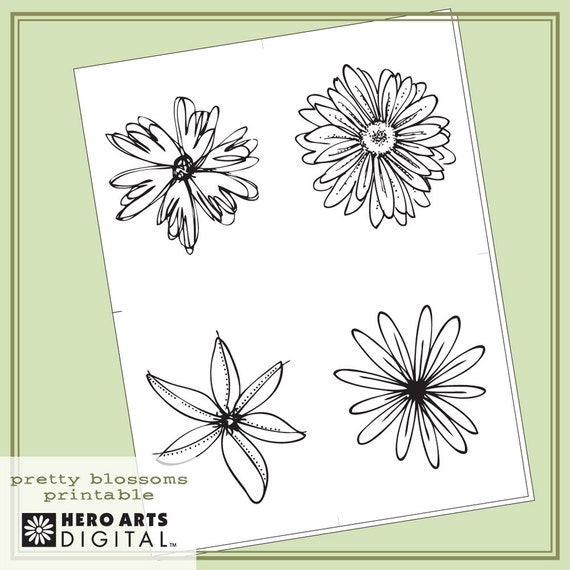
I combined one of the flowers "the top left" along with some Hero Arts Papers that I layered "all in Word" and then printed that out and added it to a "Sunshine" card base. I then chose a large bold sentiment, this one from a brand new "Winnie & Walter" set and stamped it onto the digital background. I added added a black enamel dot to the center of the flower and then colored it with a "Clear Wink of Stella" Marker. This is the end result, which looks even better in person because you can see the sparkle from teh Wink of Stella.

I have one more to share and this card also featured the same Petty Blossom Set and for this card, I simply sized the flower to a size I wanted and printed it out on Copic coloring cardstock. Note: My favorite for Copic Coloring is this Cryogen White Iridescent and I also use Neenah Solar White, both currently on sale now at "The Paper Temptress", my go to store for all my Copic and Speciality cardstock.
Once I had my flower printed, I color it up with variety of Copic Yellow and Yellow Oranges, which makes it look very much like a "Black-Eyed Susan", which are growing very nicely in my garden right now. I love these flowers, because they are easy to grow, they multiply quickly and they also last pretty much until our first frost, which I HOPE is still a LONG time away! After I had the coloring done, I cut out the flower and then placed it along with some leaves, that I cut using this Hero Arts Die onto my fun little "frame" card, which I created with some of my older Hero Arts Artist Papers. My sentiment is also from Hero and is from the Night and Days Flowers clear stamp set, which is a favorite of mine. And as I did on the previous card, I added some extra sparkle with my Wink of Stella Marker, which you can see a bit better in the close up image.


If you have never tried digital card-making I highly recommend it. Another great benefit is that you can create a card design once, save it and then have it forever. It's the same with your digital images, once you own them, their yours to save and print and color over and over again. They are also "Instant Downloads", which means that once you buy them and checkout, you'll have access to the downloads within minutes and can be creating with that new file the very same day! And if you are shopping at a2z and your order totals $25 or more, (excluding shipping), you'll be eligible to use my DT Promo Code LISAH15, which will take 15% off your entire order!! So, what are you waiting for, you know you want to give this a try and you know that it'll be awesome to have your new digital files in minutes? Come on over and do some shopping, I'm heading there now myself.
I have some more exciting news to share, but you have to wait just TWO more days!
Be sure to stop by on Friday - August 1st!


